AI cleanup
Extra cleanup for busy sites packed with popups, banners and sticky bars
AI cleanup
Some pages still come out wrong after the built-in blocking: a floating video player repeated down a full-page capture, a header bar that shows up in every section, a newsletter popup, or empty grey ad boxes. With aiCleanup: true, problems like these are removed and you get a clean screenshot.
AI cleanup is included on every plan, with a monthly allowance (see Limits). Each request with aiCleanup: true uses one check once the AI has looked at the capture, whether or not anything was removed.
Enabling it
curl -X POST 'https://api.allscreenshots.com/v1/screenshots' \
  -H 'X-API-Key: YOUR_API_KEY' \
  -H 'Content-Type: application/json' \
  -d '{
    "url": "https://example.com/article",
    "fullPage": true,
    "aiCleanup": true
  }' --output capture.webp
It works on POST /v1/screenshots and POST /v1/screenshots/async, for viewport captures and full-page captures (fullPageMode: "stitch", the default). Bulk, scheduled and composed captures don't support it yet.
What it fixes
- The same element repeated at regular intervals down a full-page capture: floating video or ad players, sticky headers, footers or bars, chat bubbles. A repeated header is shown once at the top instead of being removed.
- Popups, modals, newsletter or app prompts, and dimming overlays. If the page blocked scrolling, scrolling is unlocked as well.
- Ad slots, including empty placeholder boxes.
It doesn't change normal page content such as article images, product media, in-page videos or navigation that appears only once. A page that is itself a bot check or an error page is reported as blocked. AI cleanup doesn't get past bot checks; use stealth mode for that.
Examples
A popup over the page
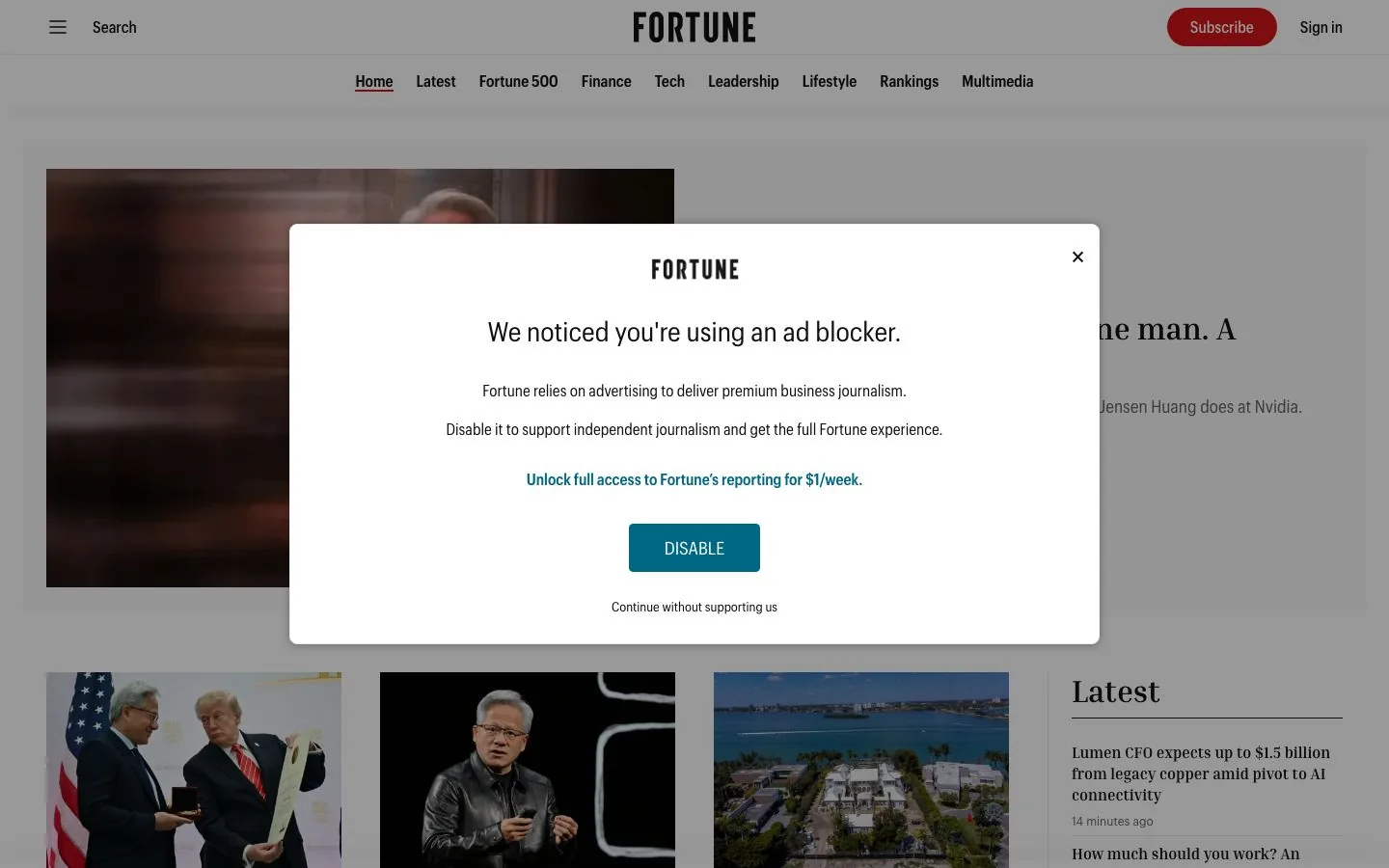
An ad-blocker notice covers the page and dims everything behind it. AI cleanup removes the notice and the dimming.

A popup repeated down a full-page capture
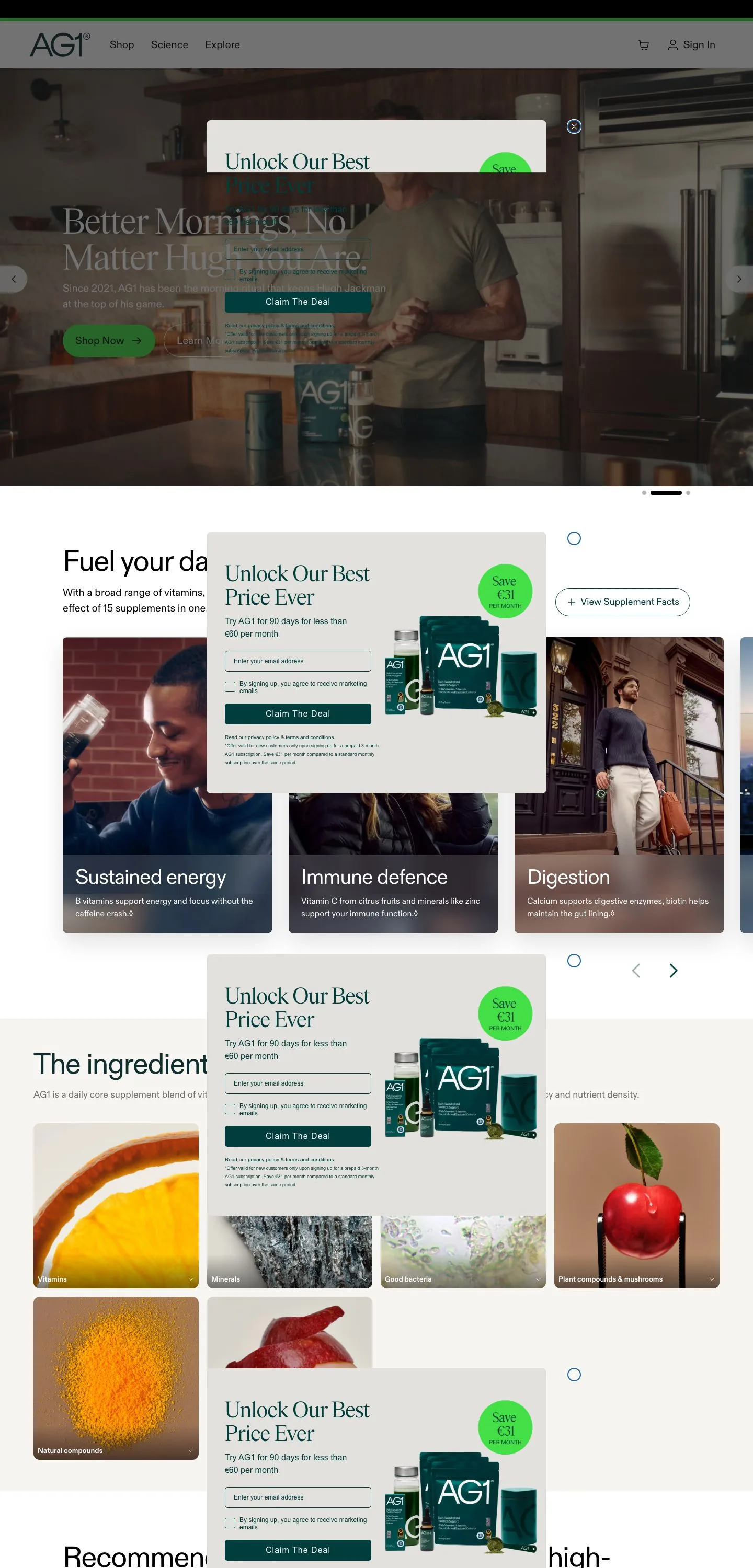
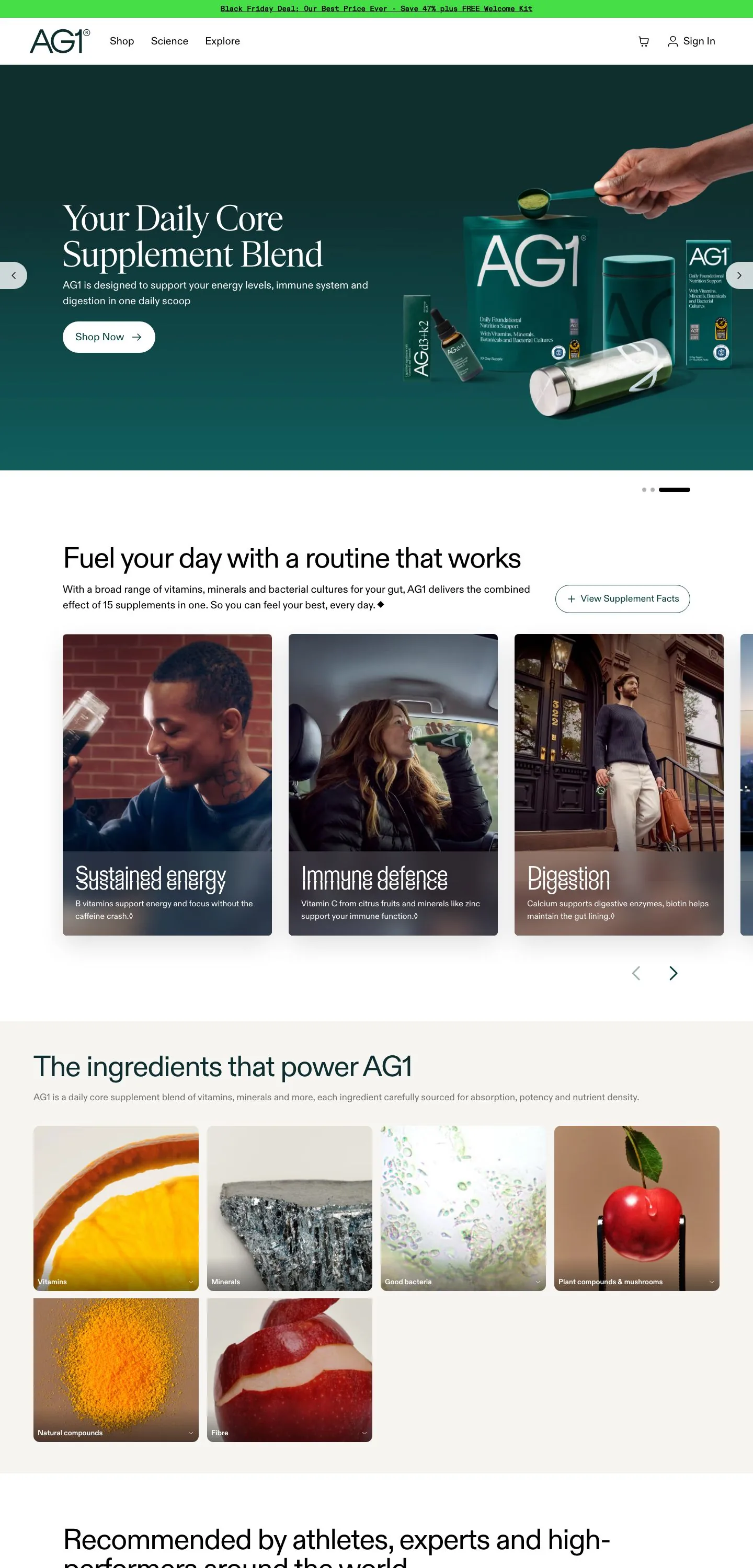
A discount popup stays on screen while the page scrolls, so it shows up again and again down a full-page capture. AI cleanup removes every copy.
A floating video player
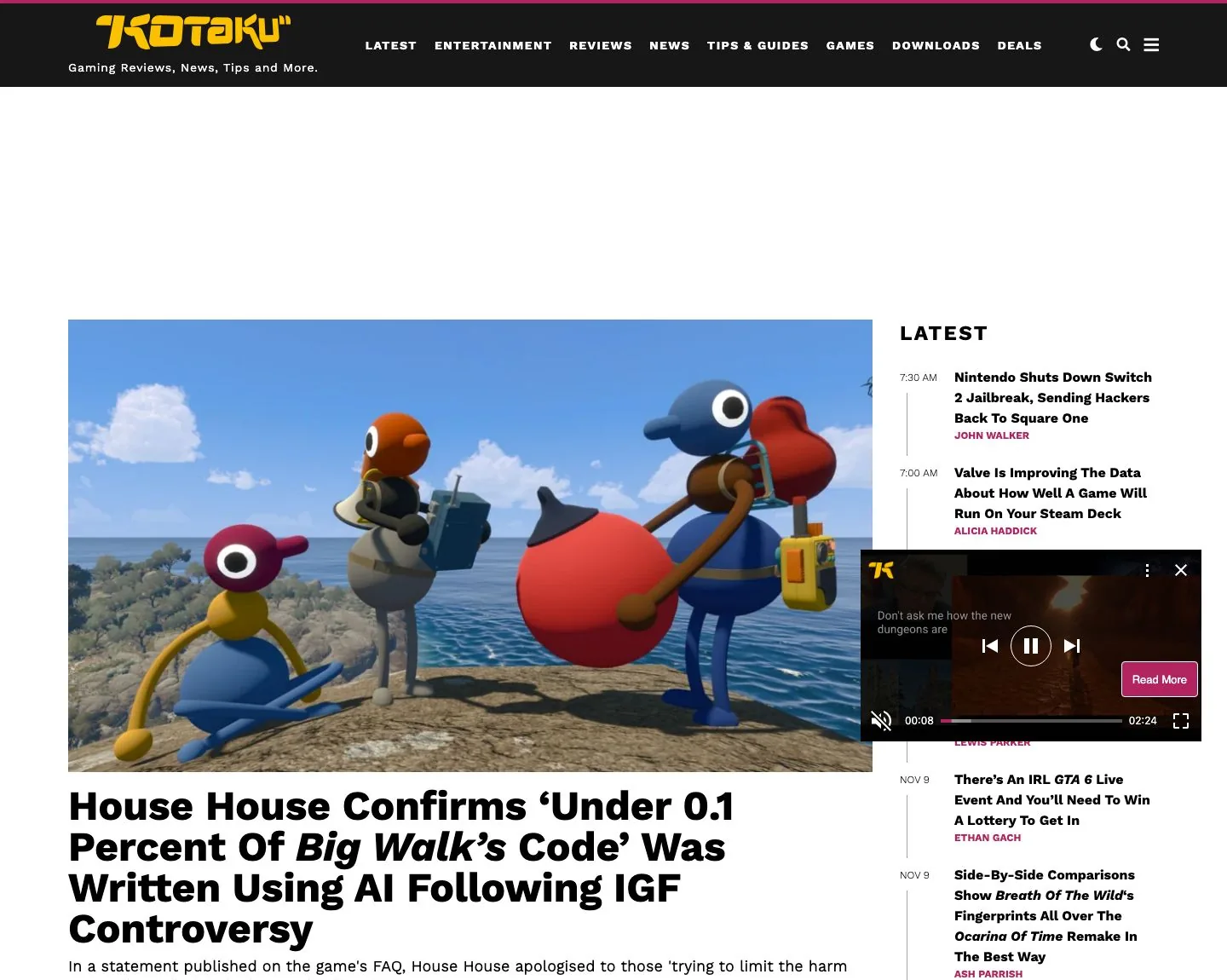
A floating video player sits on top of the article list. AI cleanup removes it and the content underneath shows through.
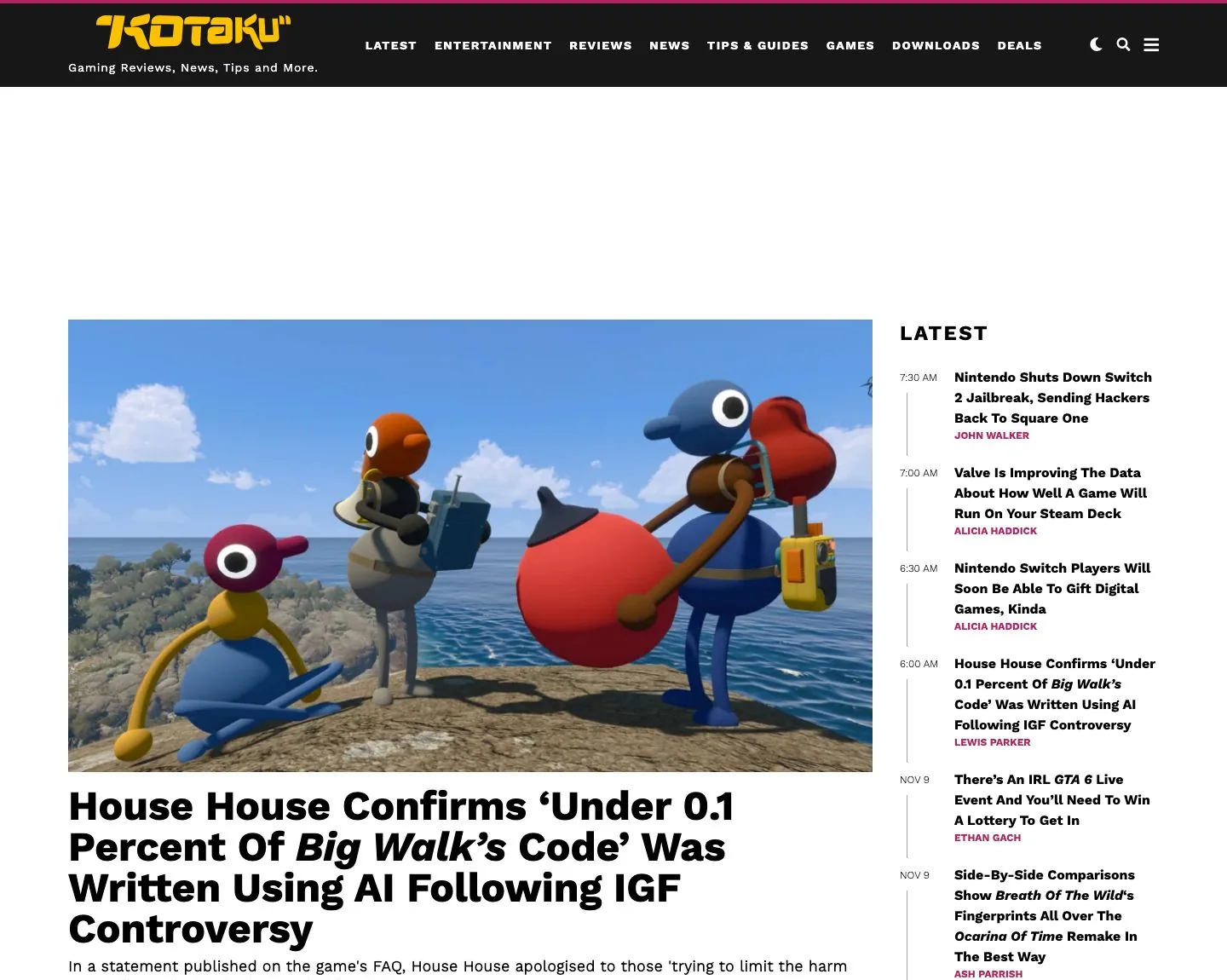
More pairs, including repeated headers and empty ad slots, are on the AI cleanup page and in the announcement post.
Response
Sync responses include an X-AI-Cleanup header. Async jobs return the same value in metadata.aiCleanup.
X-AI-Cleanup: repaired; issues=2; removed=3| Outcome | Meaning | Counts as a check |
|---|---|---|
repaired | Problems found and fixed. The image is the cleaned capture | Yes |
clean | No problems found. The image is unchanged | Yes |
nothing_to_hide | Problems found, but no element could be safely removed. The image is unchanged | Yes |
blocked | The page itself is a bot check or an error page | Yes |
rejected | A fix was tried but would have damaged the page, so the original capture was returned | Yes |
skipped_time | Not enough time was left in the capture to finish. The image is unchanged | Only if problems were already detected (issues > 0) |
error | The AI check failed. The image is unchanged | No |
issues is how many problems were detected, and removed is how many elements were removed.
AI cleanup never fails a capture. If anything goes wrong, you get the normal capture back.
Speed
A clean page takes about 5 seconds longer than a normal capture. A page that gets fixed takes about 10–20 seconds longer. Raise timeout if you capture very long pages with AI cleanup.
Limits
| Plan | AI cleanup checks per month |
|---|---|
| Free | 25 |
| Starter | 250 |
| Pro | 1,500 |
| Business | 10,000 |
| Scale | 25,000 |
| Enterprise | Unlimited |
Each check also counts as a normal screenshot. Cached results (identical request within the cache window) don't use a check. Check your current usage with GET /v1/usage under quota.aiCleanup (monthlyLimit, used, remaining; limit and remaining are null on unlimited plans). It's also shown under the AI cleanup toggle in the dashboard.
Errors
| Status | Error | Description |
|---|---|---|
400 | AI_CLEANUP_UNSUPPORTED | aiCleanup was combined with stealthMode, PDF output, selector, multiple outputs, or fullPageMode: "native" |
402 | AI_CLEANUP_QUOTA_EXCEEDED | This month's AI cleanup checks are used up. Upgrade, or retry without aiCleanup |
503 | AI_CLEANUP_UNAVAILABLE | AI cleanup is temporarily unavailable. Retry later, or send the request without aiCleanup |
Data processing
With aiCleanup: true, the capture and basic page structure are sent to our AI provider, Anthropic. Nothing is sent when aiCleanup is off.