Multi-output
A screenshot, PDF, HTML, Markdown and JSON of a page from one page load and one credit
Multi-output
Add an outputs array to a screenshot request and get the page back in up to ten forms: a screenshot, a PDF, its HTML, its Markdown and JSON data. The page is loaded once and every output is read from that same page, so the screenshot and the text always match.
Outputs work on every plan. A request counts as 1 screenshot, however many outputs it has. A JSON output in AI mode also uses one AI extraction from its own monthly allowance.
1 request
POST /v1/screenshots with outputs1 page load
screenshotPNG, JPEG or WebPpdfapplication/pdfhtmlcleaned page HTMLmarkdownmain contentjsonselectors, page data or AI
Try it
Pick outputs and see the request and the real response for each one. The response comes from one request to the Wikipedia article on web scraping with all five outputs, which rendered in 7.2 seconds and returned:
| Output | What came back |
|---|---|
screenshot | A 1280 × 800 PNG, 294 KB |
pdf | An A4 PDF of 9 pages, 306 KB |
html | The page's HTML with scripts removed and styles kept, 419 KB |
markdown | The article body as Markdown, 49 KB, with contentSource: "main" and the page's title, byline and publish date in metadata |
json | The page's own data in auto mode, 41 KB: title, canonical URL, one JSON-LD Article, 20 headings, 426 links and 5 images |
{
  "url": "https://en.wikipedia.org/wiki/Web_scraping",
  "viewport": {
    "width": 1280,
    "height": 800
  },
  "outputs": [
    {
      "type": "screenshot",
      "format": "png"
    },
    {
      "type": "markdown"
    },
    {
      "type": "json"
    }
  ]
}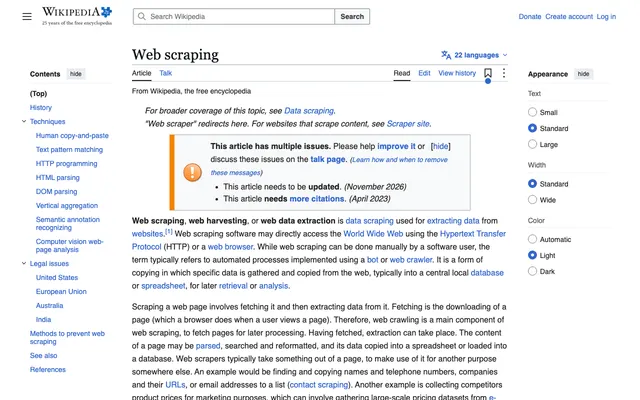
outputs.screenshot: image/png · 294 KB
The request behind it:
curl -X POST 'https://api.allscreenshots.com/v1/screenshots' \
  -H 'X-API-Key: YOUR_API_KEY' \
  -H 'Content-Type: application/json' \
  -d '{
    "url": "https://en.wikipedia.org/wiki/Web_scraping",
    "viewport": { "width": 1280, "height": 800 },
    "outputs": [
      { "type": "screenshot", "format": "png" },
      { "type": "pdf", "format": "A4" },
      { "type": "html" },
      { "type": "markdown" },
      { "type": "json" }
    ]
  }'
One page, five outputs
The same capture, output by output.
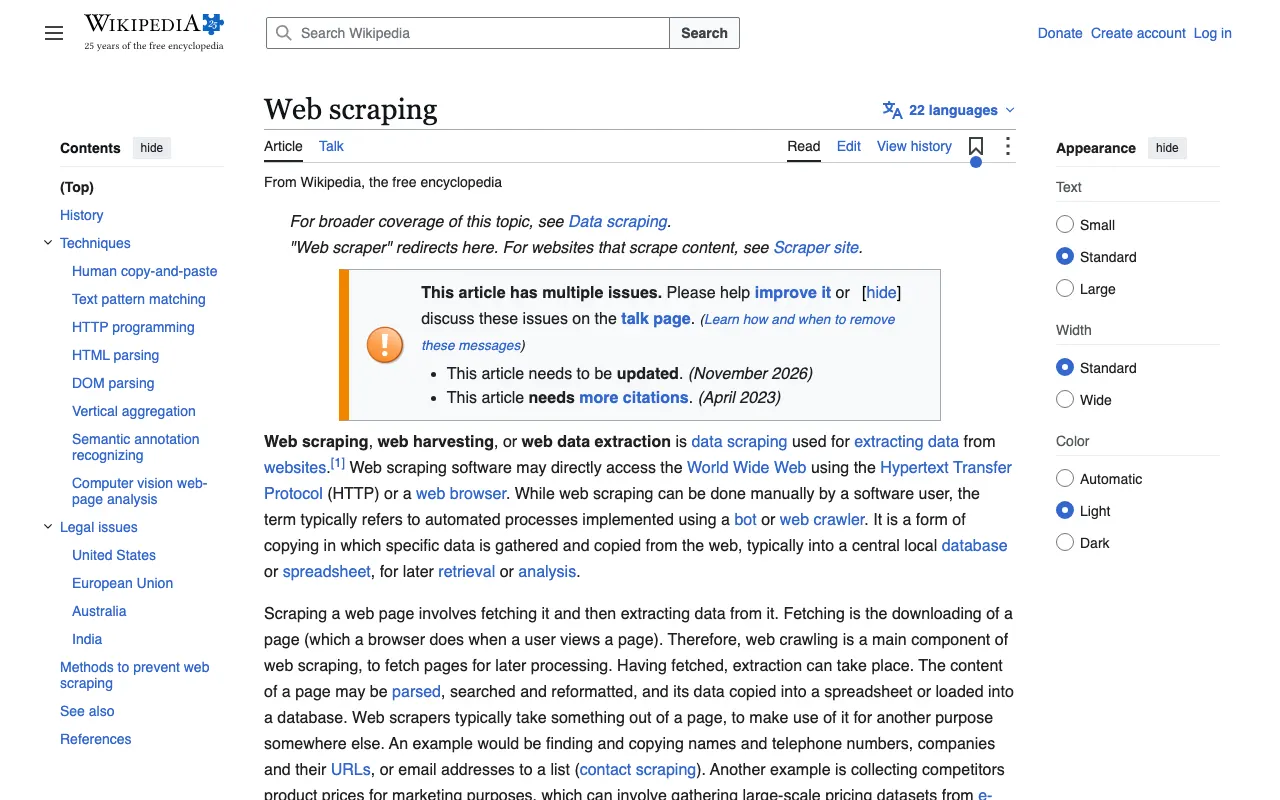
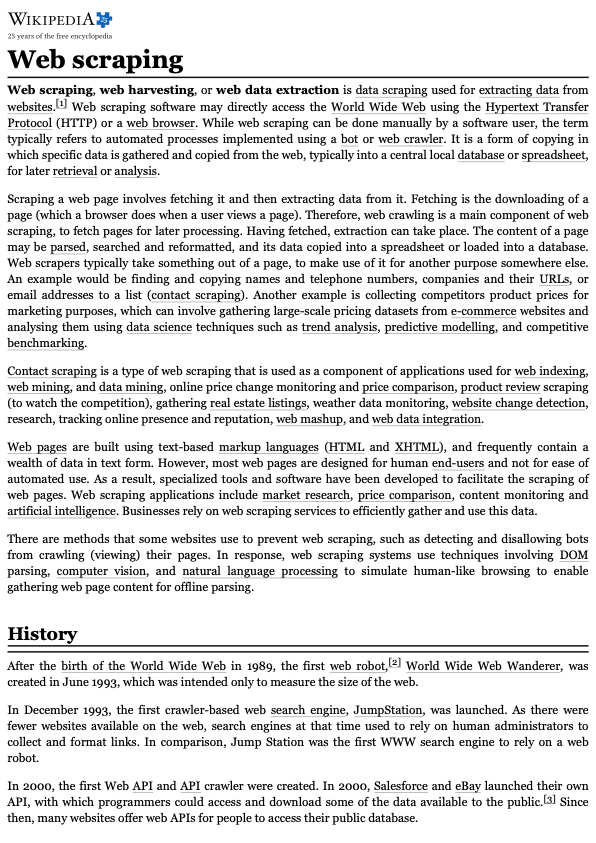
The HTML output keeps the page's styles so it still renders, and removes scripts, comments and event handlers. Links and image URLs are made absolute. From the article heading:
<h1 id="firstHeading" class="firstHeading mw-first-heading"><span lang="en" dir="ltr"><span class="mw-page-title-main">Web scraping</span></span></h1>Set mainContentOnly: true to get only the article as simple HTML, or clean: false for the page exactly as loaded.
The article, without the site's menus, sidebars and footer:
# Web scraping

From Wikipedia, the free encyclopedia
For broader coverage of this topic, see [Data scraping](https://en.wikipedia.org/wiki/Data_scraping "Data scraping").

**Web scraping** , **web harvesting** , or **web data extraction** is [data scraping](https://en.wikipedia.org/wiki/Data_scraping "Data scraping") used for [extracting data](https://en.wikipedia.org/wiki/Data_extraction "Data extraction") from [websites](https://en.wikipedia.org/wiki/Website "Website"). ...
It came with contentSource: "main" and metadata: { "title": "Web scraping", "byline": "Contributors to Wikimedia projects", "publishedTime": "2005-09-17T18:57:30Z", "language": "en" }.
Auto mode returns the data the page publishes about itself. Shortened:
{
  "url": "https://en.wikipedia.org/wiki/Web_scraping",
  "title": "Web scraping",
  "language": "en",
  "canonicalUrl": "https://en.wikipedia.org/wiki/Web_scraping",
  "byline": "Contributors to Wikimedia projects",
  "publishedTime": "2005-09-17T18:57:30Z",
  "openGraph": { "og:title": "Web scraping - Wikipedia", "og:type": "website" },
  "jsonLd": [{
    "@context": "https://schema.org",
    "@type": "Article",
    "name": "Web scraping",
    "datePublished": "2005-09-17T18:57:30Z",
    "dateModified": "2026-11-16T04:13:23Z"
  }],
  "headings": [{ "level": 1, "text": "Web scraping" }, { "level": 2, "text": "History" }],
  "links": [{ "url": "https://en.wikipedia.org/wiki/Main_Page", "text": "Main page" }],
  "images": [{ "url": "https://en.wikipedia.org/static/images/icons/enwiki-25.svg", "alt": "", "width": 150, "height": 150 }]
}
Choosing a JSON mode
A JSON output gets its data in one of three ways. All three ran on real pages for this page:
| Mode | Use it when | You send | Real result |
|---|---|---|---|
auto | You want the page's own data with no setup | { "type": "json" } | The Wikipedia data above, 41 KB |
selector | You know the CSS selectors and want the same fields every time | schema with a selector per field | 11 books from a store listing, 3.2 KB, in 6.0 s |
ai | You want specific fields without writing selectors | "mode": "ai" and a JSON Schema | A summary, 8 techniques and 9 court cases from the Wikipedia article, 1.1 KB, in 6.4 s, using 1 extraction |
Selector mode
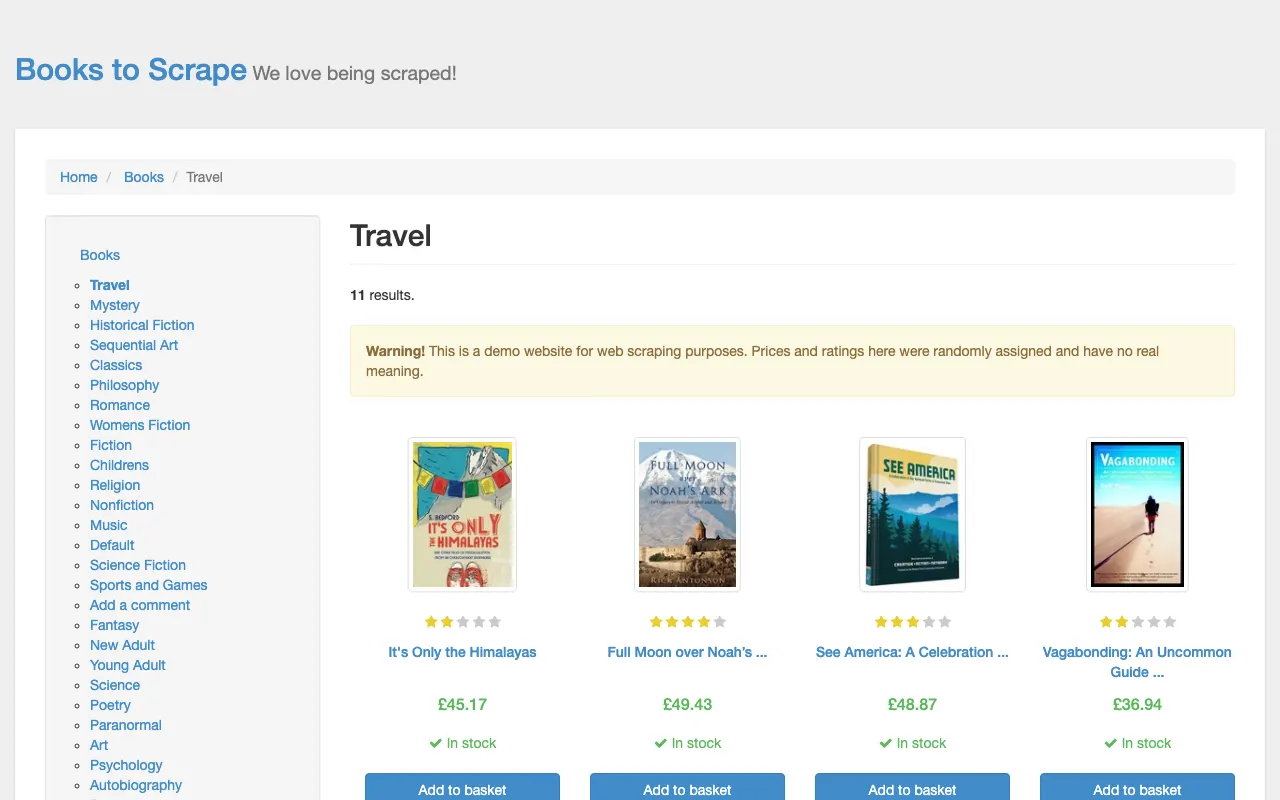
Use fields to get one object per repeated element, such as a product card. This request ran against a category page of books.toscrape.com, a public practice site for scrapers:
{
  "type": "json",
  "id": "books",
  "schema": {
    "category": { "selector": ".page-header h1" },
    "books": {
      "selector": "article.product_pod",
      "multiple": true,
      "fields": {
        "title": { "selector": "h3 a", "type": "attribute", "attribute": "title" },
        "price": { "selector": ".price_color" },
        "inStock": { "selector": ".availability" },
        "url": { "selector": "h3 a", "type": "attribute", "attribute": "href" },
        "image": { "selector": "img", "type": "attribute", "attribute": "src" }
      }
    }
  }
}
The first of the 11 books it returned. The page links to ../../../its-only-the-himalayas_981/index.html; href and src come back as full URLs:
{
  "category": "Travel",
  "books": [
    {
      "title": "It's Only the Himalayas",
      "price": "£45.17",
      "inStock": "In stock",
      "url": "https://books.toscrape.com/catalogue/its-only-the-himalayas_981/index.html",
      "image": "https://books.toscrape.com/media/cache/27/a5/27a53d0bb95bdd88288eaf66c9230d7e.jpg"
    }
  ]
}
AI mode
Describe the result as a JSON Schema and a model fills it in from the page. See AI extraction for schemas, long pages and limits.
{
  "type": "json",
  "id": "summary",
  "mode": "ai",
  "schema": {
    "type": "object",
    "properties": {
      "topic": { "type": "string" },
      "summary": { "type": "string", "description": "Two sentences" },
      "techniques": { "type": "array", "items": { "type": "string" } },
      "legalCases": { "type": "array", "items": { "type": "object", "properties": { "name": { "type": "string" }, "year": { "type": "integer" } } } }
    }
  }
}
Part of the real result:
{
  "topic": "Web scraping",
  "techniques": ["Human copy-and-paste", "Text pattern matching", "HTTP programming", "HTML parsing", "DOM parsing", "..."],
  "legalCases": [
    { "name": "eBay v. Bidder's Edge", "year": 2000 },
    { "name": "hiQ Labs v. LinkedIn", "year": 2019 },
    { "name": "Van Buren v. United States", "year": 2021 }
  ]
}
What is shared and what is per output
Everything about loading the page is set once on the request and applies to every output: the URL, viewport and device, blocking, waitFor, delay, actions, sessions with their cookies, headers and storage, and darkMode.
Everything about one result is set on its output:
| Output | Its own options |
|---|---|
screenshot | format, quality, fullPage, selector |
pdf | format, landscape, printBackground |
html | clean, mainContentOnly |
markdown | mainContentOnly |
json | mode, schema, and for AI mode prompt and selector |
To get two of the same type, give each an id, for example a full-page screenshot and a screenshot of one element. The outputs reference has every option.
Output order
The response lists outputs by type, in this order: screenshot, PDF, HTML, Markdown, JSON. The order you send them in doesn't matter. Two outputs of the same type keep their request order. Read outputs by their id, not by position.
When something goes wrong
Problems with the request fail the whole request before anything is loaded: an unknown output type, a duplicate id, more than 10 outputs, an invalid schema, or outputs combined with stealthMode (400 VALIDATION_ERROR) or aiCleanup (400 AI_CLEANUP_UNSUPPORTED). Nothing is charged.
If the page can't be loaded, for example it times out, the request fails as a screenshot request would, and it isn't charged.
Problems with one output don't fail the others:
- A selector that matches nothing returns
null(or[]withmultiple). - A selector the browser can't parse makes that field
nulland is listed in the output'serrors. - An AI output that can't be filled returns
data: {}with anerrorand doesn't use an extraction. That includes a page that turned out to be a bot check or an error page. - A Markdown or HTML output larger than 5 MB is cut and marked
truncated: true. A JSON output that large comes back as{}withtruncated: true.
Billing
| What | Counts as |
|---|---|
| A request with any number of outputs | 1 screenshot |
| Each AI-mode JSON output that returns data | 1 AI extraction (a long page read in parts uses one per part) |
| A request that fails | Nothing |
Limits
| Limit | Value |
|---|---|
| Outputs per request | 10 |
| Markdown, HTML or JSON output | 5 MB |
| Selector-mode fields | 100 per schema, nested fields included |
| Stored outputs | 7 days |
| Not supported with outputs | stealthMode, aiCleanup |
Outputs work in sync and async requests, bulk requests and schedules. For whole sites, the website crawler captures a screenshot, HTML, Markdown and JSON of every page.
Next steps
- Outputs reference: every option, response field and error.
- Extract everything from a URL in one call: a working pipeline that feeds the outputs to an LLM.
- AI extraction: JSON from a schema, without selectors.